Trade Signals
Trade Signals on AlgoTest allows you to directly take trades by simply sending a webhook alert from any platform like TradingView. Whether you're trading in Stocks, Futures, or Options, you can now trigger exact trades without pre-defining them in a strategy.
This feature is perfect for advanced traders who want full control over their trades using their own alerts.
How It Works
With Trade Signals, you don’t need to create a separate leg or define a stock in advance.
Instead, you:
- Create a signal on AlgoTest
- Copy the webhook URL
- Paste it in your TradingView alert
- Define your trade directly in the alert message
That’s it. AlgoTest will take the trade automatically when the alert is triggered!
Trade Message Format (What You Send in Alert)
You just write the trade in a simple format:
[Ticker] [buy/sell] [Quantity]
Example:
INFY buy 10
INFY1! sell 4
NIFTY250417C23000 buy 1
NIFTY250417P23000 sell 2, NIFTY250417C23000 sell 2
- AlgoTest will read this alert and place the correct orders.
- You can even send multiple trades in one alert, separated by commas.
Supported Formats
-
Cash Market:
INFY→ Infosys equity stock -
Futures (Current Month):
INFY1!→ Infosys Futures (Front Month) -
Futures (Next Month):
INFY2!→ Infosys Futures (Next Month) -
Options:
NIFTY250417C23000→ NIFTY Call Option, expiry 17-Apr-2025, strike 23000
Cis for Call,Pis for Put
User Flow: Setup in 5 Minutes
1. Create a New Trade Signal on AlgoTest
- Go to AlgoTest > Signals Dashboard:
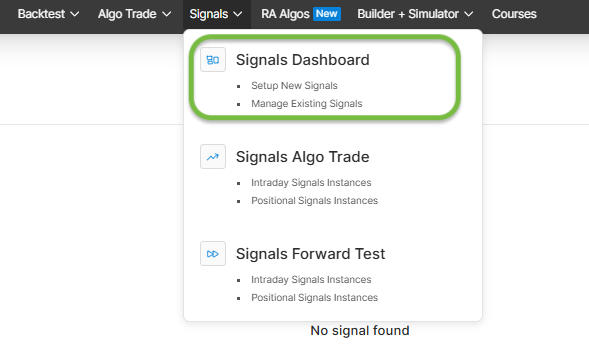
- Go to Trade Signals:
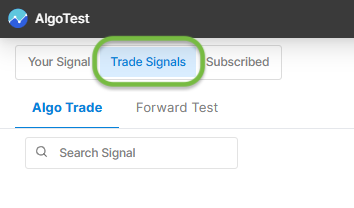
- Click "Create New Signal" :
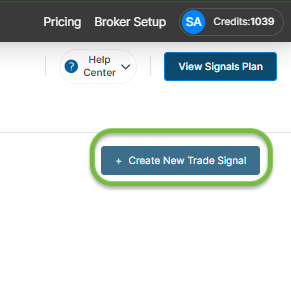
- Choose between Forward Test or Algo Trading:
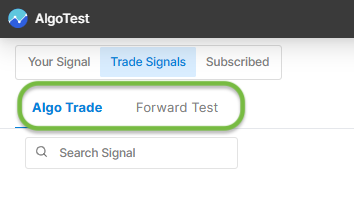
- Give it a name:
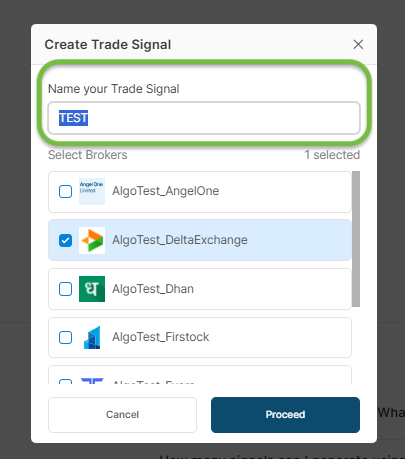
- Copy the Webhook URL:
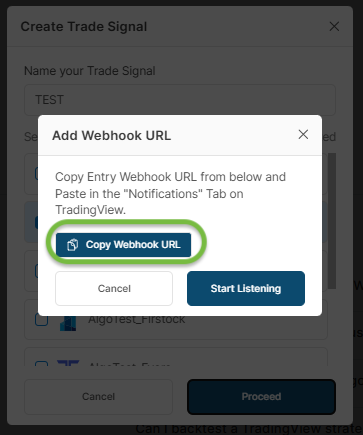
2. Paste the Webhook in Your Alert Platform (e.g., TradingView)
- Go to your TradingView alert
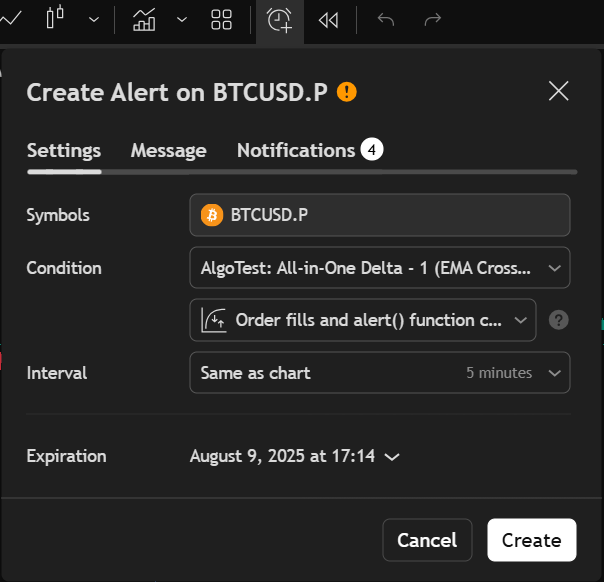
- Paste the Webhook URL in the designated field
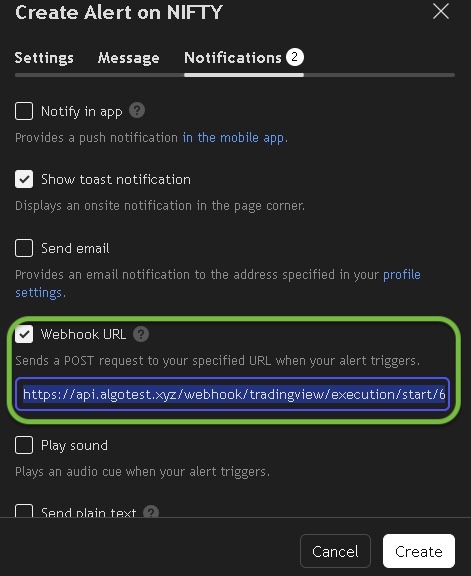
- Enter your trade message (like the examples above) in the alert message box
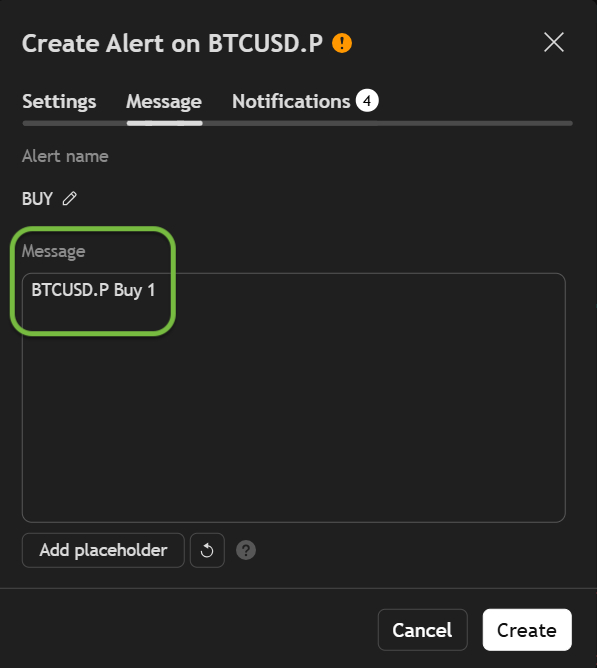
Now you’re ready to go! When your alert triggers, AlgoTest executes the trade.

Forward Test vs Live Trade
- Forward Test: Simulates trade execution without placing real orders. Great for testing.
- Live Trade: Executes actual trades via your broker. Make sure your broker is connected.
Broker Integration
AlgoTest supports 45+ brokers.
To start trading:
- Connect your broker in AlgoTest settings
- Create your signal in Algo Trade
- Your next alert will place a real order
Important Notes
- Supports only stocks and F&O-enabled instruments
- Up to 8 trades per alert
- Works across Cash, Futures, and Options segments
- No need to define legs or instruments in advance — alerts control everything
Need Help?
- Telegram Support: Join our group